Content
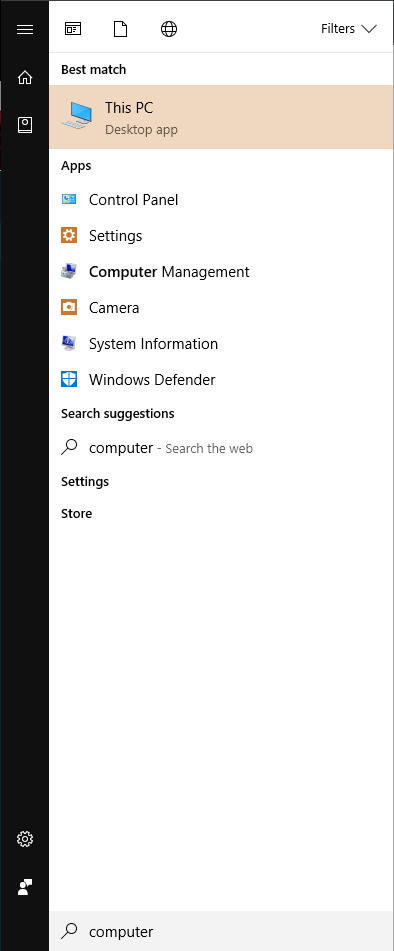
Press the windows button and type ‘computer’ without quotes.
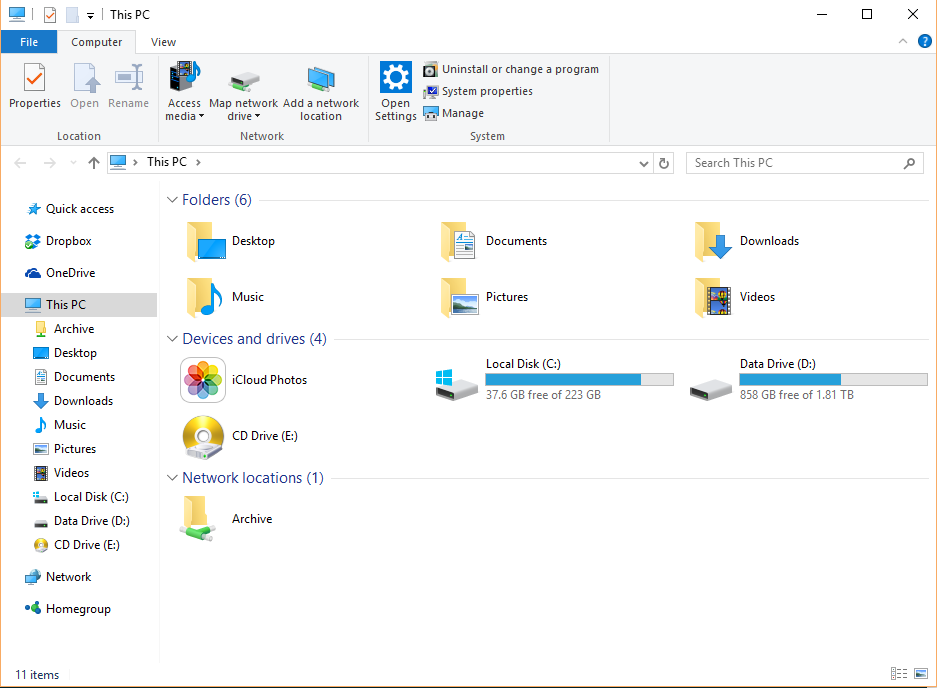
Press Enter.
Right-click on ‘This PC’.
Click on ‘Properties
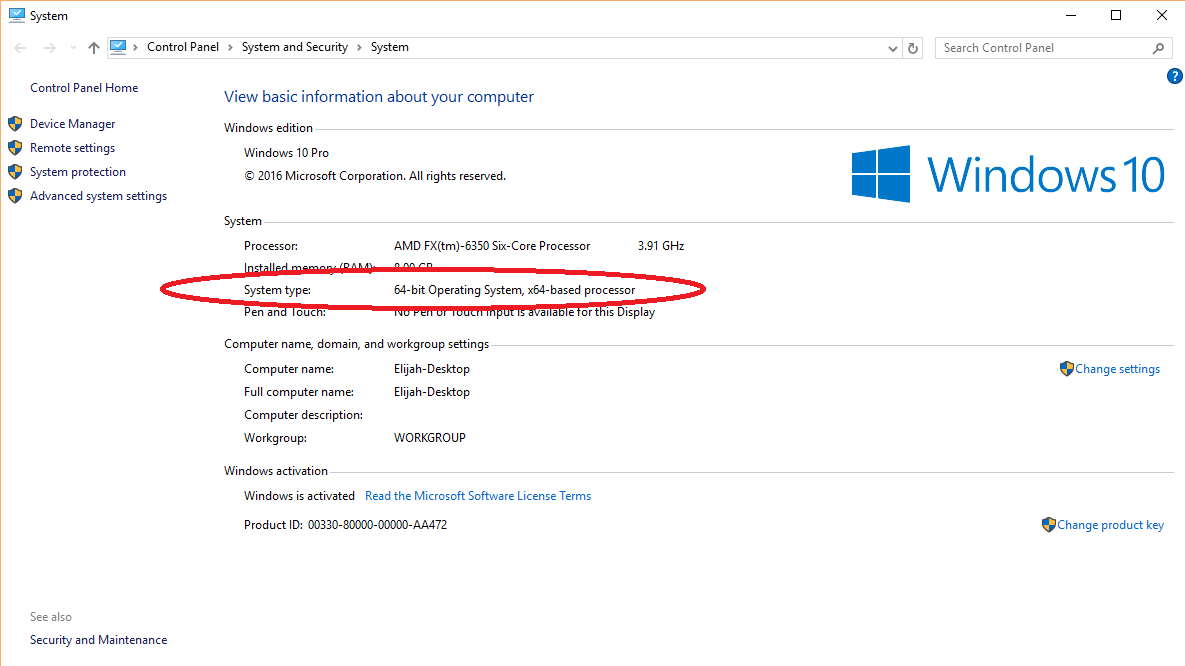
You can see what bit you have by looking next to ‘System type:’ below ‘Installed memory (RAM):’.